Image: Figma
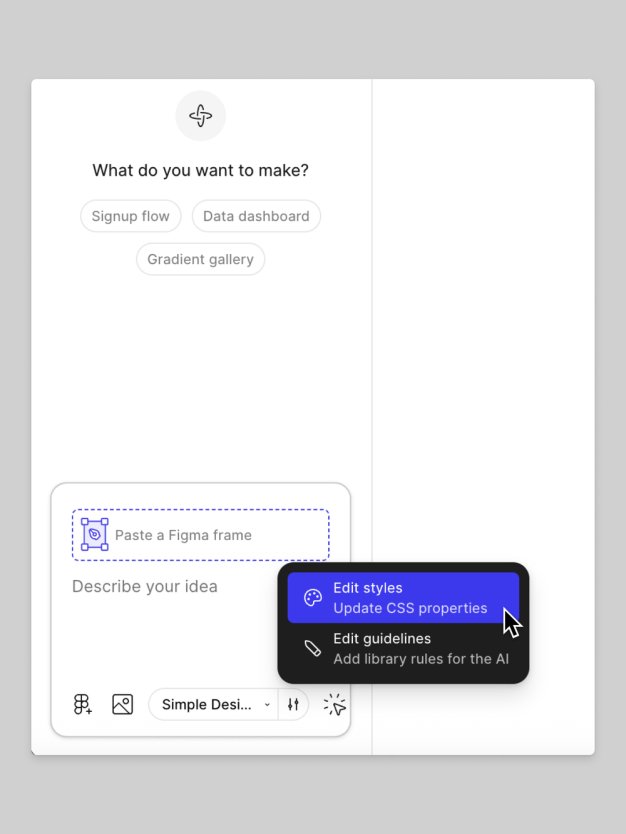
Image: Figma
Image: Figma
Image: Figma
Both new Figma features are available on all paid plans and require a Full seat.
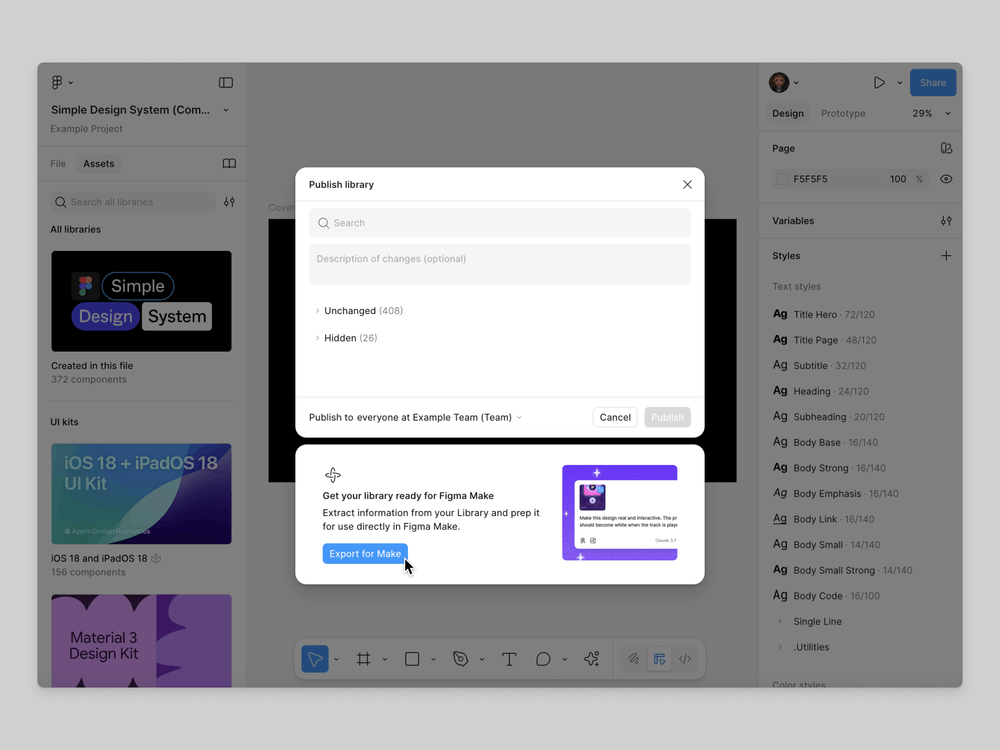
Figma Make now lets users import styles directly from Figma Design libraries, making it easier to create prototypes and web apps with a consistent look.
To use this feature, a user with edit access first publishes the desired design library and exports it to Figma Make. During the export, Figma automatically generates a CSS file that contains all the relevant styles from the library. Then, within a Figma Make file, users can select this exported library. From there, they can immediately start generating content or choose to fine-tune the styling by editing the CSS or adding custom text-based guidelines.
It’s important to note that exporting a library is usually a one-time setup, unless the design is updated later, in which case re-exporting is necessary. Additionally, users can create custom guidelines in each Figma Make file to control exactly how the imported styles are applied. This functionality is available on all paid plans and requires a Full seat.

Best AI Website Creator